What’s already in the fridge?
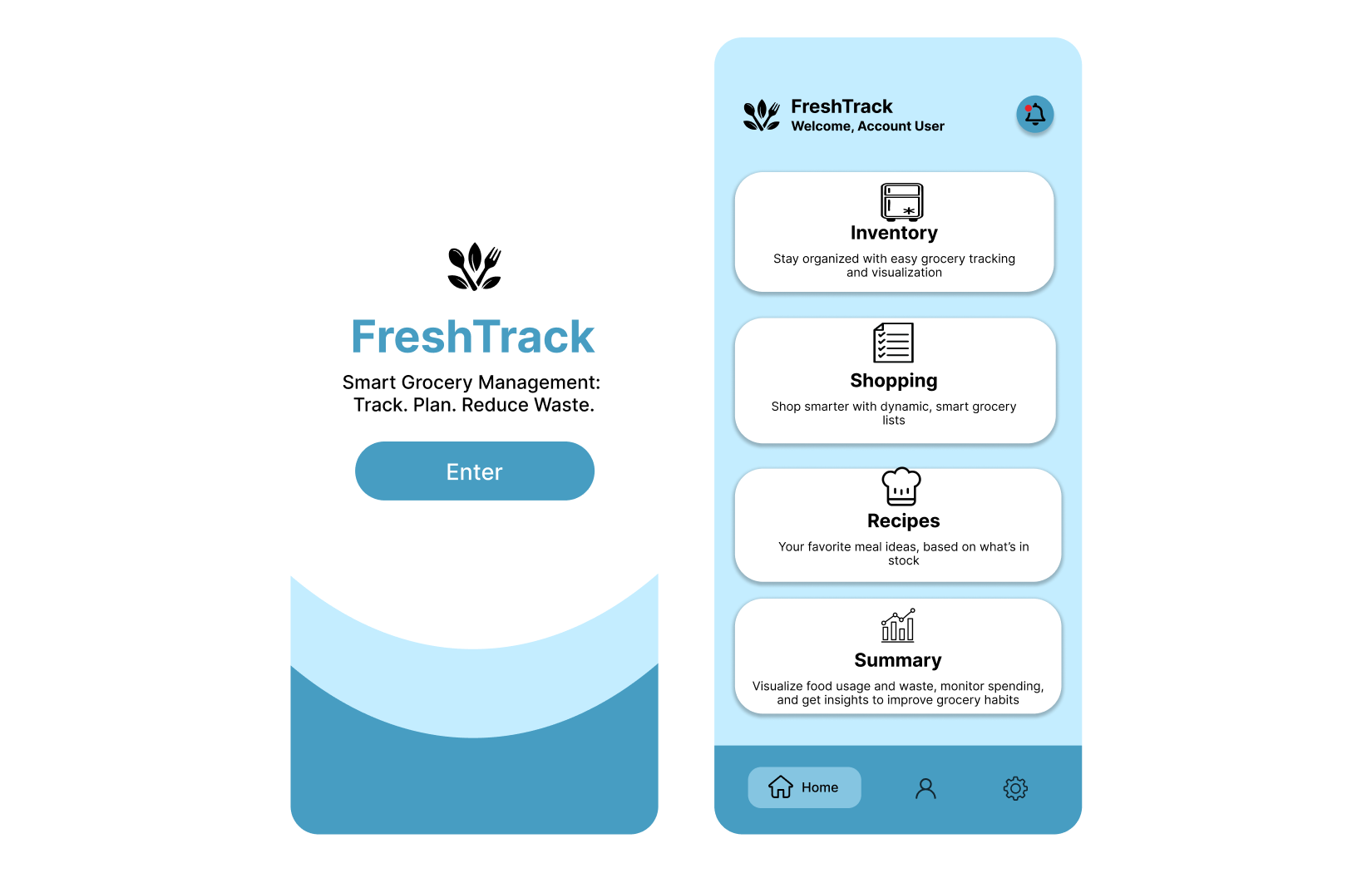
It’s easy to buy groceries and forget about them. You come home with another carton of milk, then find one behind everything else. FreshTrack started with that everyday problem: keeping track of what you have, what needs using, and what belongs on the shopping list.
I worked on the grocery flows and Figma screens for this team design project. The prototype brings food storage, shopping, recipes, and spending into one app. The work shown here is the design itself; we did not establish that it changed spending or food waste.
Start with where the food is
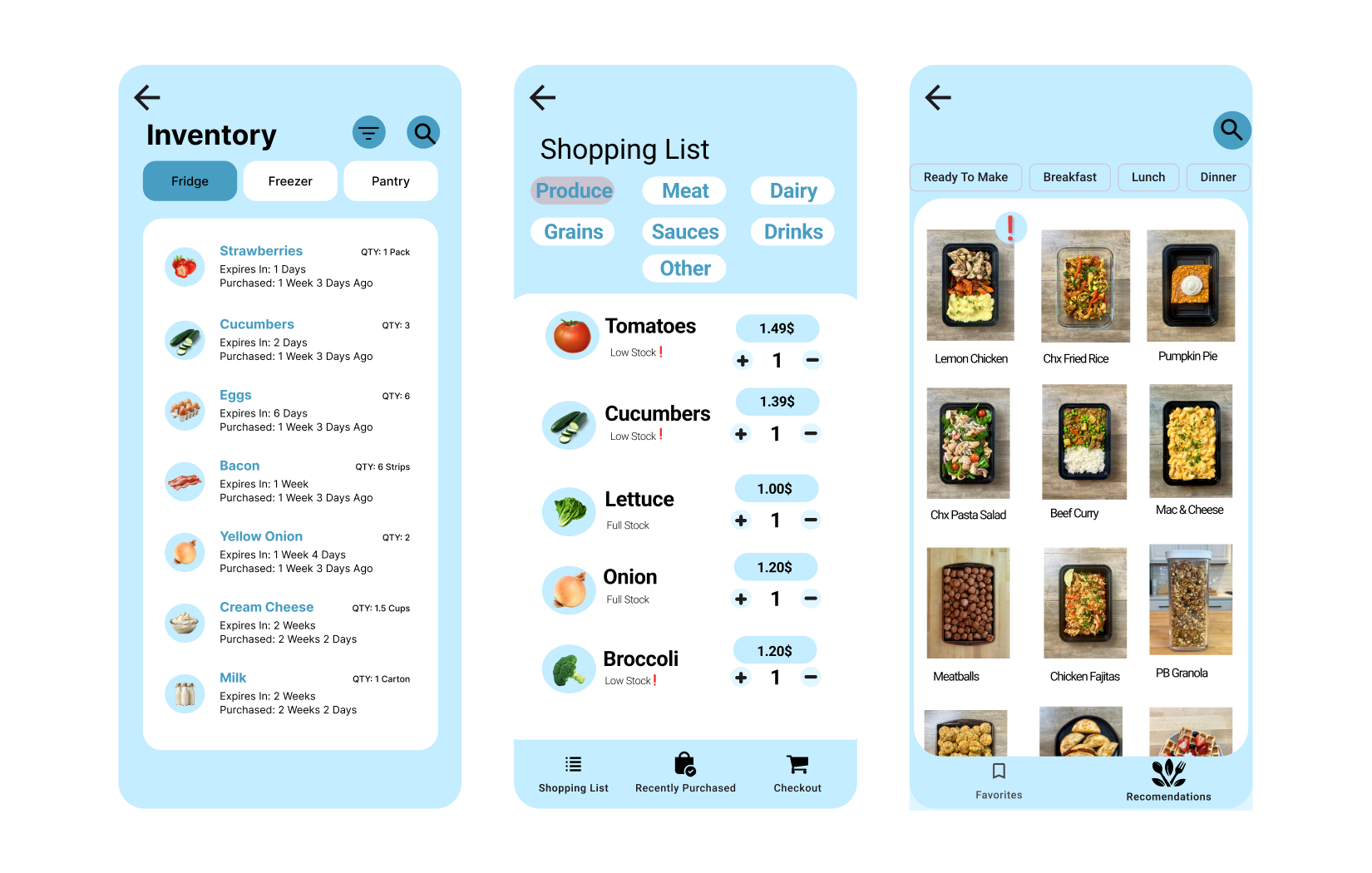
The inventory screen is a list of food at home. I organized this part of the flow around three familiar places: Fridge, Freezer, and Pantry. Someone looking for eggs can start with the fridge instead of searching through every item in the house.
Each entry keeps the name, quantity, purchase date, and time until expiration together. In the example, strawberries have one day left and cucumbers have two. That puts the information for deciding what to use beside the food itself. These dates are sample interface content, not a food-safety assessment.
Connect what you have with what you buy
The shopping list groups items into categories such as Produce, Meat, and Dairy. Each row shows a price, a stock label, and plus/minus quantity controls. Tomatoes are marked “Low Stock,” while lettuce is marked “Full Stock.” The distinction gives a reason to add something, rather than treating every item as an equally urgent purchase.
The recipe view approaches the same problem from dinner: what can I make with this food? It includes a “Ready To Make” filter alongside Breakfast, Lunch, and Dinner. The design ties browsing meals to the inventory idea, though the prototype does not demonstrate a working ingredient-matching system.
Make the bigger picture easy to find
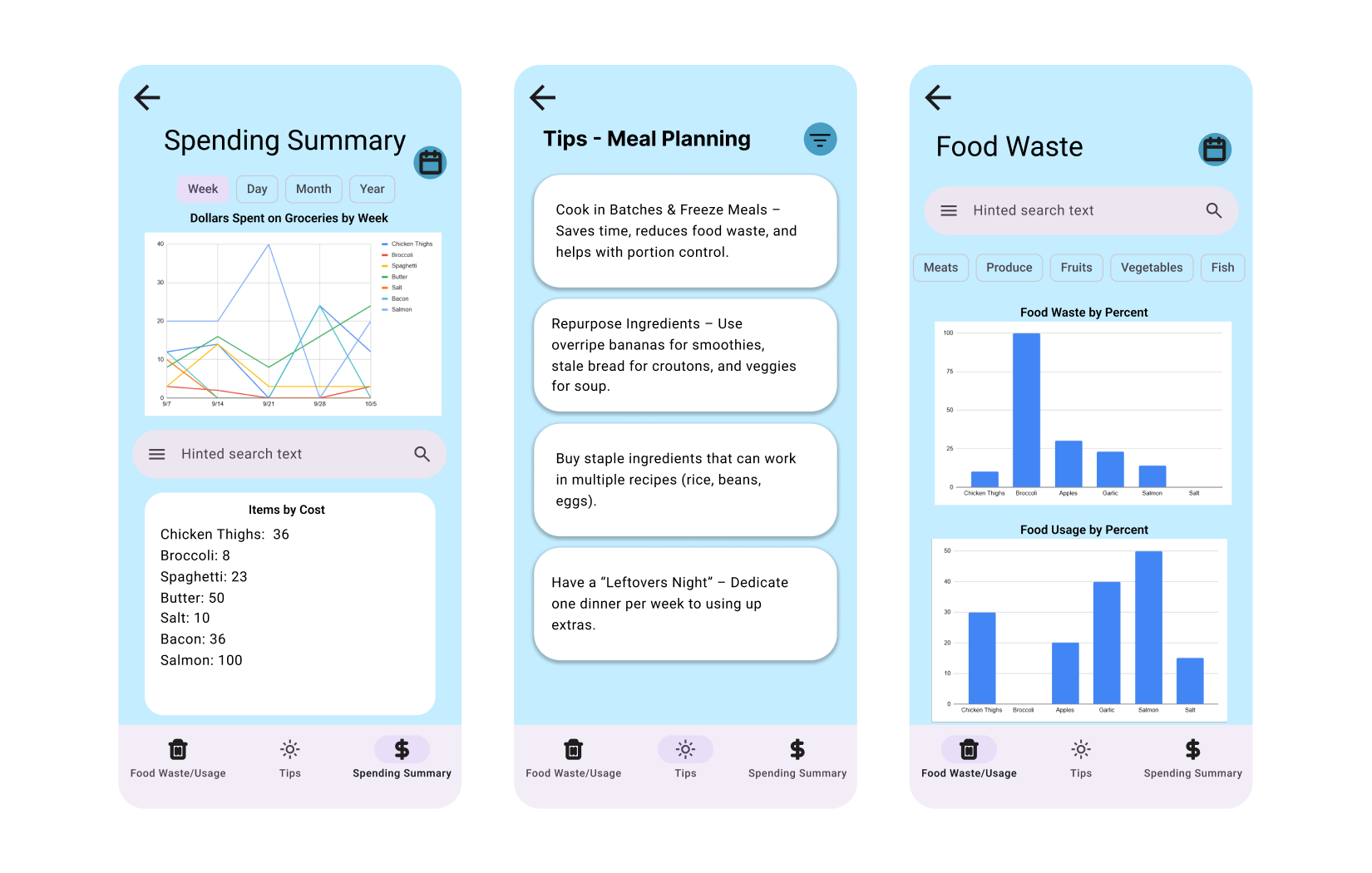
The Summary area separates Spending, Food Waste/Usage, and Tips. Spending can be viewed by day, week, month, or year. Food waste and food usage have separate charts, so throwing something away is not presented as the same thing as using it.
Tips sit beside those summaries and cover storage, meal planning, and shopping. The prototype includes examples such as using older food first and planning a meal around leftovers. These are designed screens with illustrative chart values, not results collected from households.
What the design comes down to
FreshTrack connects decisions that are often made separately. The amount of food at home matters when shopping; the food that needs using matters when choosing a meal. My focus was making those details visible at the point where someone needs them.
There is also a clear dependency: the app is only useful if its inventory stays accurate. The screens show how information can be organized, but they do not demonstrate how reliably people would keep it updated. That is the boundary between the prototype and a proven grocery tool.